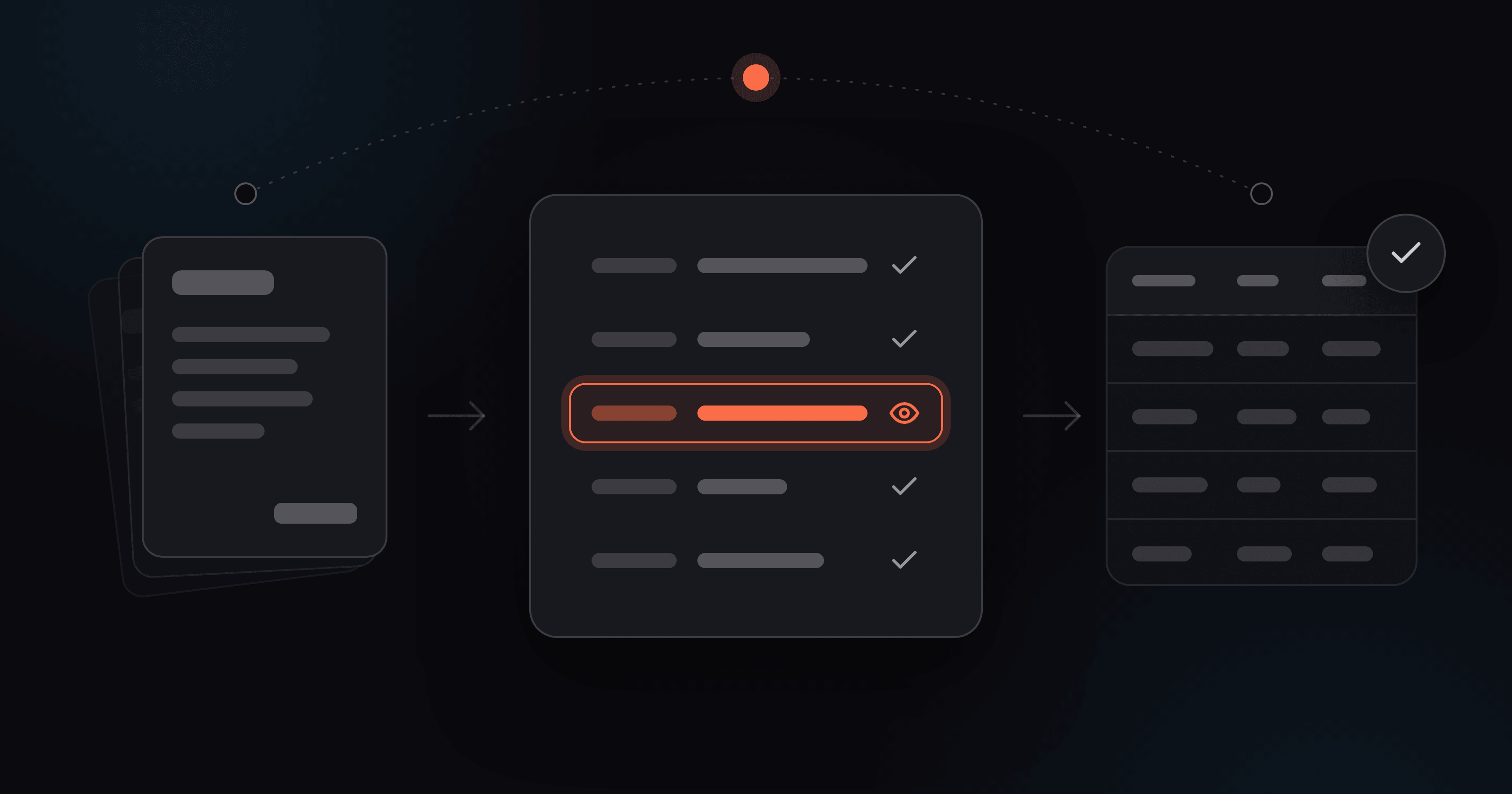
Most invoice automation software is sold with a diagram. An inbox on the left, an accounting system on the right, a few arrows in between, and a number like "80% faster" floating over the top.
Diagrams don't tell you what Tuesday looks like.
This post shows a Tuesday. It skips the setup guide (we covered that in How to Automate Invoice Processing Without Hiring More Staff) and the ROI pitch. It's one ordinary working day in a small finance team after supplier invoices stop being typed by hand: what arrives, what the software does with it, what still needs a person, and what nobody does anymore.
If you run a BPO or a shared-services desk with a dozen reviewers, read The BPO Scaling Playbook instead. This one is for teams of one to three people who fit invoices in around everything else.
The team in this story
Meet Elena. She's the finance manager at a 30-person wholesale business and shares the accounts work with a part-time bookkeeper. Between them they handle about 350 supplier invoices a month from around 120 suppliers. That works out to roughly 16 invoices every working day.
Elena is a composite. We built her from the way small finance teams describe this work, and she isn't a named customer. The workflow is real. Only the name is made up.
Her invoices arrive the way they do in most small businesses. Most are PDF attachments, some are scans, and a few are phone photos of the paper copy that came with a delivery. Ardent Partners' State of ePayables 2025 found that on average only 51.4% of invoices reach AP teams electronically. That survey leans toward big companies, too: more than half of the respondents report over $1 billion in revenue.
What the old Tuesday looked like
Before automation, Elena's invoice routine went like this:
- Open the shared inbox, download each attachment, rename it, and file it in the right folder
- Open the PDF next to the accounting tool and type in the supplier, invoice number, dates, net amount, VAT, and total
- Type the line items too, whenever a cost had to be split across accounts
- Check her own typing, because nobody else would see it until month-end
- Chase the invoices that never arrived, arrived twice, or arrived as a photo of a crumpled page
None of this was hard. All of it was slow, and all of it came before the part of the job that actually needed her: deciding what gets paid, when, and whether a number looks wrong.
What that routine costs
The typing is the cost you can see. The cost you don't see is everything else that waits while the typing gets done. Ardent's 2025 benchmarks put the average all-in cost of processing one supplier invoice at $9.84, and the average exception rate at 18.4%. That's nearly one invoice in five that needs extra handling on top of the typing.
The spread between teams is where it gets interesting:
| Ardent 2025 benchmark | Best-in-class | All others |
|---|---|---|
| Cost to process one invoice | $2.65 | $12.42 |
| Days to process one invoice | 2.9 | 13.5 |
| Invoice exception rate | 11.1% | 20.9% |
| Invoices processed straight-through | 51.0% | 29.0% |
Source: Ardent Partners, State of ePayables 2025. Best-in-class = the 20% of teams with the lowest cost and shortest cycle time.
Look at the last row. In the best-run AP teams in that study, a person still touches about half of all invoices. Good automation doesn't take people out of invoice processing. It changes which invoices they touch, and what they're doing when they touch them.
The same day, with the typing removed
Once invoices are automated, they still arrive by email, still get read, still get checked, and still end up in the accounting tool. What's different is that software does the reading and the typing. Elena only looks at the fields it isn't sure about.
Here's how that works out over a day, starting with the inbox.
8:30 - The inbox empties itself
Elena's day used to start in the shared inbox. Eleven new emails overnight, nine with invoices attached, two with "please see attached" and nothing attached. Download, rename, file, repeat.
Now she opens the Files screen instead. The nine invoices are already there, already read, and sorted into two piles: ready, and waiting for a look.
If you want to automate supplier invoices in a small business, the inbox is where you start. It's where most of your invoices already arrive. In AUSTRIAPRO's 2025 e-invoicing survey, 98.8% of electronically received invoices were PDFs, and 80% of respondents get them by email. Unlike most surveys in this space, that one is weighted by real company size, so sole traders and micro-businesses count as much as they should.
Where invoices land now
Every Foxello workflow gets its own generated import address. Elena added it to her supplier records as the "send invoices here" address and emailed her regular suppliers about the change. Most switched within a month.
A few still send to the old shared inbox, out of habit or because the address is hard-coded in their billing system. Elena forwards those, which takes five seconds and needs no renaming. Email import comes with the Growth and Scale plans. On Starter you upload files from the dashboard instead.
Two filters that keep the junk out
The import address only takes what Elena lets in, and there are two settings that control it:
- Allowed senders. If she lists supplier addresses, only email from those addresses gets imported. (She added her own address too, or the invoices she forwards would be blocked.)
- Attachment types. She picked PDF, JPG, PNG, and HEIC. Email signatures, logos, and calendar invites never turn into "documents".
What happens before she looks
Each invoice is converted, read, and extracted automatically as soon as it arrives. In our internal testing that averages about 24 seconds per page. By the time Elena has her coffee, the overnight batch is done.
Her workflow uses Instinct with twelve fields, each described in plain language: supplier name, invoice number, invoice date, due date, net, VAT, total, IBAN, PO number, and a line-items table. She marked invoice number and total as required, so an invoice with either one missing always goes to review instead of slipping through blank.
Every extracted field gets its own confidence score. Fields at 90% or higher are confirmed automatically. An invoice where everything clears is ready to export, and anything with a doubtful field waits in the review queue.
In October a new supplier sent their first invoice, in a layout nobody had seen before. It went through the same workflow as the other 119 suppliers. There was no template to build and no ticket to raise.
The paper that still shows up
Twice a week a delivery driver hands over a paper invoice with the goods. Elena takes a photo on her phone and uploads it with Add file on the Files screen. Manual upload works on every workflow, whatever its main import channel is. HEIC photos straight from an iPhone are fine.
That invoice then follows the same path as everything else. Phone photos get flagged more often than clean PDFs, which is exactly what should happen.
What she no longer does at 8:30
- Download attachments one by one
- Rename files so she can find them at month-end
- Work out which folder, or which person, each one belongs to
- Keep a "still to enter" list in a spreadsheet on the side
- Wonder whether last night's invoices have been dealt with yet
That last one matters more than it sounds. APQC's open benchmark puts the median time from an invoice arriving to its data being in the system at around 12 hours, and most of that is waiting rather than typing. Automation doesn't make suppliers send invoices any faster. It removes the hours an invoice spends sitting unopened in an inbox.
What she still does
She still chases the invoice the sales team received and never passed on. She still asks the supplier who sent "please see attached" with nothing attached. Software can only read what reaches it.
By 8:40 the inbox part of her morning is done. Seven invoices went straight through. Two are waiting for her, and by 9:15 two more have joined them.
9:15 - Ten minutes in the review queue
The review queue never shows up in the vendor diagram. It's also where Elena's job changed most. She used to produce the data. Now she checks it.
There are four invoices in the queue this morning. Every other invoice since yesterday afternoon came through with every field above the confidence bar and is already approved.
What's waiting, and why
| Invoice | What's flagged | Why |
|---|---|---|
| Phone photo from this morning's delivery | Total | The page was folded over the total line |
| Local cleaning company | Invoice number | The invoice doesn't have one. Required field, so it comes to review |
| Packaging supplier, 3 pages, 40 line items | One line's quantity | Someone corrected the quantity by hand in pen |
| New overseas supplier | Invoice date | "03/04/2026" could be 3 April or 4 March |
Look at the right-hand column. Every flag points to something unclear on the page itself: a fold, a missing number, a pen mark, an ambiguous date. When the software sees something like that, it shows Elena exactly where to look instead of guessing. We wrote about why guessing is the real risk in Why Generic AI Extraction Tools Guess.
What the screen shows her
Each invoice opens with the document on one side and the extracted fields on the other, split into Needs review and Confirmed. Elena only reads the first list. The confirmed fields are already done.
She clicks the flagged total and checks it against the photo. The software read the number correctly but marked it uncertain because of the fold, so she confirms it. For the overseas date she knows the supplier's format, so she fixes it in one click by selecting the right text on the document.
Line items show up as a grid under the document. On the packaging invoice she checks the one flagged row, corrects the quantity to match the pen mark, and leaves the other 39 alone.
Approve & next
Ctrl+Enter (Cmd+Enter on a Mac) saves and approves the invoice and opens the next one in the queue. The header shows how many are left and how many she's approved today. Every action has a keyboard shortcut, so she rarely touches the mouse.
The cleaning company invoice needs a reply from the supplier, so she skips it for now and puts asking them on her afternoon list. It stays in the queue until she has an answer.
"Approve" here means the data is right. It doesn't mean the invoice should be paid. That decision still happens in the accounting tool, with the same approvers as before.
Six fields instead of two hundred
Before automation, those sixteen invoices meant typing about twelve fields each, close to 200 entries before counting line items. This morning Elena touched six fields across four invoices.
That's the real change in automated invoice processing. The checking doesn't disappear, but it gets much smaller and very precise. Ardent's 2025 research found that 48% of AP professionals rank a high share of exceptions among their top challenges. An exception you can see and fix in seconds is a different job from one you only find at month-end.
When the same field keeps coming back
Elena keeps an eye out for patterns. If one supplier's due date gets flagged every time, the field description needs tightening, for example: "Due date - the payment due date. If only payment terms are given, leave blank." She updates it once in the workflow editor, and every future invoice benefits.
For suppliers whose invoices must come out in exactly the same structure every time, she can switch to Mastery and add one example. Either way, the queue gets smaller as the workflow gets sharper. Human-in-the-Loop Should Get Smaller Over Time covers how to make that happen on purpose.
Two people, one queue
The part-time bookkeeper has her own seat with the Reviewer role. On the days she works, she clears the queue, and Approve & next pulls from the same shared list Elena uses, so nobody checks the same invoice twice.
For the first two weeks, Elena set the workflow to manual review and checked every invoice end to end. Once she'd seen on her own invoices where the software was reliable, she switched to confidence-based review. That's the setting she uses now.
What she no longer does in the queue
- Type every field of every invoice
- Re-read her own typing at 4pm, when her eyes have stopped focusing
- Guess which of yesterday's entries she typed while tired
- Run a second pass on a random sample, just in case
At 9:25 the queue is empty. Every invoice that has arrived so far is checked and approved, and the next step is getting the data into the accounting tool.
11:00 - Getting the data into the accounting tool
Elena opens Xero at 11:00, and the morning's invoices are already there as draft bills: supplier, reference, dates, VAT, and line items, all filled in. She didn't type or import any of them.
This is the step where invoice automation either saves the whole morning or only half of it. If the extracted data lands in a spreadsheet and someone types it into the accounting system again, you've automated the reading and kept the typing.
How Elena's invoices get there
Elena's workflow exports through Zapier. When she approves an invoice in Foxello, or when it clears automatically, the extracted data goes straight to a Zap, which creates a draft bill in Xero. Zapier's Xero integration supports line items on its Create Bill action, so a forty-line packaging invoice arrives as a forty-line bill.
She set it up once, in an afternoon, using the field mapping in Foxello's export settings to match her field names to the ones Xero expects. She hasn't touched it since.
Each invoice's status in Foxello changes to exported once it's sent, so she can see which invoices have reached Xero and which are still waiting for her.
The other routes
Zapier suits Elena. It isn't the only option, and it isn't always the right one:
| Route | How it works | Plan | Good for |
|---|---|---|---|
| File download | Download CSV, JSON, or Excel from the Files screen, then use your accounting tool's bill import | Starter (CSV, JSON), Growth and up (Excel) | Weekly batches, low volume |
| Google Drive folder | Results land in a shared folder your bookkeeper or accountant picks up | Growth and up | Teams that work with an outside accountant |
| Zapier or n8n | Each invoice creates a draft bill or a row wherever you need it | Growth and up | Daily flow with no manual import |
| Webhook or API | Data goes straight to your own system | Growth and up | Teams with a developer, or a custom ERP |
The file route is more capable than it sounds. QuickBooks Online imports bills from a CSV or Excel file on its Essentials, Plus, and Advanced plans. Xero has an Import from CSV option under Bills, and imported bills come in as drafts for you to review. Once a week, a small team can download the batch, import it, and be done in minutes.
Two things are worth knowing before your first import:
- Set up suppliers first. QuickBooks Online expects new suppliers and expense accounts to exist before you import bills that use them. Xero needs a contact name on every bill.
- Match the template once. Both tools have a fixed import format. Line up your columns with it on the first batch, and every batch after that follows the same layout.
Why we feed your accounting tool instead of replacing it
Full AP automation suites bundle capture, approvals, and payments into one product, and they cost accordingly. For a finance team of two, the accounting tool already handles approvals, payment runs, and reconciliation, and handles them well.
What was missing was the step before any of that: getting invoice data into the tool without typing it. That's the one job Foxello does. Your data leaves in standard formats, so if you switch accounting tools next year, nothing here needs rebuilding.
What still happens in Xero
The draft bills are where Elena's own judgment takes over:
- Coding. Xero suggests the account from each supplier's default. She changes it when a cost belongs somewhere else.
- Approval to pay. She checks each draft against what was ordered and delivered, then approves it. The managing director signs off anything over the agreed limit, the same as before.
- The payment run. Thursday is payment day. Approved bills get paid from the bank feed and reconcile against the bills she just approved.
None of this changed with automation, and none of it should. Approving data in Foxello means the numbers match the page. Approving a bill in Xero means the business owes the money. Those are different decisions, and keeping them separate is good practice.
What she no longer does at 11:00
- Type supplier, reference, dates, and amounts into a new bill
- Key line items one row at a time
- Copy figures from a spreadsheet into the accounting tool
- Keep a separate list of which invoices she's entered so far
By 11:15 the morning's drafts are approved, and the next payment run is already lined up. Elena has the rest of the day for work that needs her.
Afternoon - The work that was always waiting
When people hear "automation", they often picture a finance team with nothing left to do. Elena's afternoon is full. The difference is that it's full of work that used to get pushed to Friday, or to never.
13:30 - "Has our invoice been paid?"
Two suppliers email asking about invoices. Before automation, answering meant scrolling the inbox for the PDF, then checking whether she'd typed it in yet, then checking whether it had been paid.
Now she searches the invoice number on the Files screen and sees the status straight away: received, approved, exported. Xero shows the rest. Both replies go out in about a minute each.
That matters more than it sounds. Ardent's 2025 benchmarks show AP staff spend 21.9% of their time on supplier inquiries on average. Best-in-class teams spend 12.8%, against 24.0% for everyone else. Most of those questions are some version of "where's my invoice?", and that's easy to answer when every invoice has a status.
14:00 - The cartons that didn't arrive
This morning's forty-line packaging invoice charges for 40 cartons of one item. The warehouse's delivery note says 38.
Elena catches it because the line items are already structured data sitting next to the goods-received record, and because she has an hour that isn't spent typing. She puts the bill on hold and emails the supplier for a credit note.
That's what "freeing up time" actually looks like in practice. It isn't vague strategy work. It's a €140 overcharge caught on a Tuesday instead of at the year-end audit.
14:30 - Chasing the missing invoice number
The cleaning company from the morning queue replies with their invoice number. Elena adds it on the file, approves it, and the draft bill reaches Xero a moment later. The invoice could never have gone through blank, because invoice number is a required field. A missing value stops the invoice and asks a person.
15:00 - A new bank account, by email
A regular supplier emails to say they've changed banks and attaches an invoice with the new IBAN. Elena does what she always does with bank-detail changes. She calls the supplier on the number in her own records, not the one on the email, and confirms before anything changes in Xero.
This isn't paranoia. In the AFP's 2025 Payments Fraud and Control Survey, 79% of organisations reported attempted or actual payments fraud in 2024. Business email compromise was the most common route, cited by 63%, and vendor impersonation rose to 45%, up 11 points on the previous year.
Automation makes the check easier to do every time. Because the IBAN comes off every invoice as its own field, comparing it with the supplier record takes a glance instead of a hunt through the PDF. The callback rule is Elena's own control, and it stays in place.
16:00 - Numbers the managing director can use
The managing director asks what's due in the next thirty days. Before automation, the honest answer was "whatever's in Xero, plus a pile I haven't entered yet".
Now invoices reach Xero the day they arrive, so the aged payables report is up to date every day. Elena sends it over in two minutes, and she flags a supplier offering a 2% discount for payment within ten days. The discount used to expire while the invoice sat in the to-do pile.
16:30 - The second pass
Seven more invoices came in during the afternoon. Five went straight through. Elena clears the other two before she logs off: one blurry scan and one handwritten delivery charge. It takes four minutes.
Tomorrow starts with an empty queue, and nothing is left untyped for the end of the month.
What the afternoon used to be
| Before automation | After automation |
|---|---|
| Typing the invoices that arrived after lunch | Answering supplier questions in a minute |
| Guessing where an invoice was in the process | Checking its status on screen |
| Spotting overcharges, if there was time | Comparing line items to delivery notes as routine |
| A payables report that was days behind | A payables report that's current every day |
| A pile of invoices waiting for month-end | An empty queue every evening |
The typing is gone. The judgment is still here, and there's finally time to use it.
What she no longer does (and the new weekly chores)
Step back from the single Tuesday and look at a whole week, and the change is easy to see. Some work has disappeared completely. A small amount of new work has taken its place.
A week, before and after
Elena timed herself before switching. Opening, typing, and checking one invoice took her about five minutes. At around 80 invoices a week, that came to almost seven hours of typing.
| Weekly task | Before | After |
|---|---|---|
| Downloading, renaming, filing invoices | Every invoice, every day | None |
| Typing invoices into Xero | ~7 hours | None |
| Reviewing flagged fields | Not a separate step | ~30 minutes, in short passes |
| Tuning the workflow | Didn't exist | ~15 minutes on Friday |
| Catching up before month-end | A day or more | Nothing to catch up |
These figures are Elena's own timings, part of our composite, not a benchmark. Time a few of your own invoices to get yours.
That isn't an outlier. In Ardent's State of ePayables 2025, 39% of AP leaders named getting rid of tactical, low-value tasks as a top driver of future success. It's the first time that answer made the list.
Gone for good
- Downloading attachments and renaming files
- Typing supplier, reference, dates, VAT, and totals
- Keying line items one row at a time
- Re-checking her own typing late in the day
- Keeping a separate list of what's been entered
- Spending the last days of the month catching up on data entry
Still hers, and better for it
- Deciding what gets paid, and when
- Coding costs that don't fit a supplier's default account
- Checking invoices against orders and deliveries
- Calling suppliers about bank-detail changes
- Answering supplier questions
- Giving the managing director numbers he can trust
The new Friday routine
Automation needs an owner, but only for about fifteen minutes a week. Here's what Elena does on Friday afternoon:
- Look for patterns in the queue. She sorts the week's files by confidence and checks what got flagged. One supplier's date or one field that keeps coming back means the field description needs a clearer sentence. She fixes it once, and the queue gets smaller.
- Check the straight-through share. She keeps a rough count of how many invoices went through with no review at all. If the number drops, something changed, usually a supplier who redesigned their invoice or started sending phone photos.
- Add new suppliers. New suppliers need a contact in Xero before their bills land cleanly. It takes two minutes per supplier and happens a few times a month.
Once a month
She checks usage against the plan's monthly allowance on the Subscription screen. Most of her invoices are one page, so the Growth plan covers her normal month. In a heavy month, such as a stock build before the holidays, she buys a prepaid token pack. Pack tokens don't expire at the monthly reset, so anything she doesn't use carries over.
Month-end itself has gotten quiet. Every invoice from the month is already in Xero. Supplier statement reconciliation is quick because the bills are current, and the accrual list is whatever's still sitting in drafts.
The job, rewritten
Elena's job description didn't change. What changed is how her week is split. The hours that went into copying numbers now go into checking them, questioning them, and using them, and that work is why the business hired a finance manager in the first place.
Is this worth it for your team?
Not every finance team needs invoice automation software. Here's how to tell whether yours does, and how to find out cheaply.
Run your own numbers first
You only need three numbers:
- Invoices per month. Count them from your accounting tool.
- Minutes per invoice. Time five real ones from opening the email to finished entry, including the checking.
- What an hour of that person's time costs you, fully loaded.
Multiply the three and divide by 60, and you have your monthly cost of typing invoices. For Elena's composite numbers (350 invoices, five minutes each, €30 an hour), that's about €875 a month in typing time. Her Growth plan costs €39.99.
Your numbers will be different. What matters is the comparison, and you don't need a vendor's ROI calculator to make it.
When it clearly pays off
- You handle more than about 100 invoices a month from many different suppliers. This is the range where typing starts to hurt and template tools start to break.
- Volume is growing faster than your team. The usual alternative is hiring, and a new hire costs more than any plan.
- One person "does the invoices". If they're on holiday, nothing gets entered. With automation, anyone can clear a review queue.
- You've already paid for a typing mistake. A wrong amount, a missed discount, or an invoice entered twice.
- Month-end is a scramble because invoices pile up until someone has time to type them.
When it isn't worth it (yet)
- Fewer than about 30 invoices a month. At five minutes each, that's under three hours a month. It's better spent elsewhere, and you can revisit when volume grows.
- One supplier, one fixed format, very high volume. A template tool built for that single layout can be cheaper. Template-free extraction pays off when you have many layouts.
- Your suppliers already send structured e-invoices. If invoices arrive as machine-readable files that your accounting tool imports directly, there's nothing to extract.
That last case is rarer than the e-invoicing headlines suggest. Germany has required every business to be able to receive e-invoices since January 2025. Even so, data from the accounting platform Norman shows genuine e-invoices made up only 7.3% of the self-employed's incoming invoices across 2025. PDFs will be around for years.
Which plan fits which team
| Your situation | Plan | Why |
|---|---|---|
| Under ~125 single-page invoices a month, one person, uploading by hand | Starter, €14.99/mo | Upload from the dashboard, export CSV or JSON for your accounting tool's import |
| A few hundred invoices a month, arriving by email, 2-3 people | Growth, €39.99/mo | Email import, Zapier and n8n, Excel export, cloud folders, 3 users included |
| High volume, many reviewers, or client work | Scale, €99.99/mo | Higher limits, audit trail, role-based access. See the BPO playbook |
One page uses one token. Harder documents processed in Deep mode use two. If most of your invoices run to several pages, compare your page count with the plan, not your invoice count. Prepaid token packs cover the occasional heavy month.
How to test it in an afternoon
You don't need a project plan. Pull 30 to 50 real invoices from last month, including the worst ones: phone photos, faded scans, and the supplier whose layout everybody hates. Time a few by hand first so you have a baseline.
Then run them through. You get 100 pages free with no card required, which covers the test with room to re-run after you sharpen a field description. Your documents are processed and stored in the EU and are never used for AI training, so you can test on real invoices instead of cleaned-up samples.
For the step-by-step version (field lists, review settings, and what to measure), see the getting-started section of What Is Document Processing?.
If the queue looks like Elena's after a week, you'll know. If it doesn't, you've spent an afternoon, not a budget.
FAQ
What does invoice automation look like day to day?
Invoices still arrive by email and still end up in your accounting tool. Software reads each one and fills in the fields, and a person checks only the fields it flags. For a small team, that usually means a few short review passes a day in place of hours of typing.
Can a small business automate supplier invoices without an IT project?
Yes. You create a workflow, describe the fields you want in plain language (or pick a ready-made Instant invoice model), and point your supplier invoices at its import address. Creating a workflow takes about a minute. Connecting the export to your accounting tool is a one-time job of an afternoon at most.
What is AI invoice processing?
It's software that reads an invoice the way a person would. It recognises the supplier, the invoice number, the total, and the line items wherever they appear on the page, without needing a template for each layout. Every field gets a confidence score, so you can see which values to check.
Is automated invoice processing the same as AP automation?
Not quite. AP automation usually means a full suite covering capture, approvals, and payments. Automated invoice processing covers the first part: getting accurate data off the invoice and into your system. If your accounting tool already handles approvals and payments, that first part is often all a small team needs.
Does it work with QuickBooks or Xero?
Yes. You can download CSV or Excel files and use the bill import in QuickBooks Online or Xero. On the Growth plan and above, you can also send each invoice through Zapier or n8n to create draft bills automatically.
Do I still have to review invoices?
Only the fields the software isn't sure about. Fields at 90% confidence or higher are confirmed automatically. Missing required fields, faint scans, and ambiguous values go to the review queue. Most teams review everything for the first week or two, then switch to reviewing flagged fields only.
What about phone photos and handwritten invoices?
They work. Upload them from the dashboard or send them to the import address like any other invoice. Expect them to be flagged more often than clean PDFs, which is the point: you check the fields where the page itself is unclear.
Is my invoice data safe?
Documents are processed and stored in the EU, encrypted in transit and at rest, and never used for AI training. GDPR alignment is included on every plan, not just the top one.
Is Elena a real customer?
No. Elena is a composite we built to show a realistic day, and her timings and volumes are illustrative. The workflow, features, and plan details are real, and the industry figures come from the sources below.
The short version
Automated invoice processing doesn't remove the finance team from the process. It removes the typing.
Invoices arrive and get read without anyone opening them. Only the uncertain fields reach a person, the data lands in the accounting tool without being retyped, and the afternoon goes to the work that needs judgment: overcharges, supplier questions, bank-detail checks, and numbers the business can use.
Try it on your own invoices, ugly ones included, and see what your Tuesday looks like.
Stop paying people to type. Start paying them to think. Start free - no card
Sources
- Ardent Partners, The State of ePayables 2025 - cost per invoice, cycle time, exception rate, straight-through rate, electronic invoice share, supplier-inquiry time, top challenges, drivers of future success
- AUSTRIAPRO / WKO, E-Rechnung Umfrage 2025 - PDF and email share of invoices, weighted by company size
- APQC, Cycle time from receipt of invoice until data entered into the system
- AFP, 2025 Payments Fraud and Control Survey
- QuickBooks, Import your bills in QuickBooks Online
- Xero, Bill import from CSV
- Zapier, Line items with Xero
- Norman, E-invoicing monitor
Foxello figures (~24s per page, ~1 min to create a workflow) are from internal testing. Elena and her team are a composite. Her volumes, timings, and costs are illustrative, not benchmarks.