
Picture a reviewer at 10am on a Tuesday, six months into using an AI extraction tool. They open a file, check three fields, fix one date format, approve, open the next file. Same three fields. Same date format. The queue in front of them is roughly the same size it was in month one.
That's the failure mode nobody warns you about with human-in-the-loop AI. Not that it doesn't work, it works fine on day one. The problem shows up by month six, when the "temporary" review step has quietly turned into a full-time job nobody budgeted for.
Human-in-the-loop, in plain terms, means an AI system does the extraction and a person checks or corrects the fields the model wasn't confident about, before the data goes anywhere downstream. That's the whole concept. It's not a research topic, it's a workflow decision: which fields get a human's eyes, and which ones don't.
Most vendors sell you on having that human checkpoint. Fewer of them tell you what happens to it over time. Left alone, a review queue doesn't shrink on its own. Someone has to shrink it, on purpose, by watching what the model is actually confident about and moving the line accordingly.
That's the argument for the rest of this piece: human-in-the-loop should be a cost that goes down, not one that stays fixed. If your review volume looks the same in month six as it did in month one, the issue isn't that AI needs human oversight. It's that nobody's been managing the threshold.
What Human-in-the-Loop Actually Means in Document Processing
Strip away the buzzword and human-in-the-loop is one mechanism: a confidence score attached to every extracted field, and a threshold that decides what happens next.
Above the threshold, the field auto-confirms and moves on. Below it, the field gets flagged for a person to check. That's the entire loop. No mysticism, no "AI collaborating with humans in real time," just a number and a rule.
Where the threshold actually sits
In Review Hub, that threshold is 90% confidence. A field extracted at 92% confidence auto-confirms and lands in the Confirmed list. A field extracted at 71% confidence lands in Needs review, sitting right next to the document page so a reviewer can check it against the source without hunting for context.
That split matters more than it sounds like it should. It means a reviewer isn't re-checking every field on every document, they're only touching the handful the model flagged as uncertain. On a clean, standard invoice, that might be zero fields. On a scanned form with cramped handwriting in the totals box, it might be three or four.
Not every mode uses the loop the same way
Human-in-the-loop isn't a single on/off switch across a document processing platform, it changes shape depending on the extraction mode:
- Instant (pretrained models for standard document types) and Instinct/Mastery (zero-shot and few-shot LLM extraction) all support confidence-based review. The model extracts, confidence scores get attached per field, and the threshold decides what a human sees.
- OCR workflows are extraction-focused without a model deciding structure, so review here is about verifying the underlying text conversion, not field-level confidence.
- Review mode is the exception on purpose. There's no automatic extraction at all, someone defines the fields and fills in every value by hand. That's not a fallback or a bug, it's the right starting point for a document type you don't trust a model with yet, or one you'll only ever process a handful of times.
That last point is worth sitting with. Human-in-the-loop doesn't mean "AI does 95% of the work and a person mops up the rest." Sometimes it correctly means "a person does all of it, for now." The mistake is assuming that has to stay true forever.
Where Full Automation Fails (and Where Full-Manual Is Actually Fine)
Full automation, no confidence checks and no review step, works exactly as well as your worst document. Feed it a clean, single-format invoice from a vendor you've processed a thousand times, and it's fine. Feed it a scanned claims form with a handwritten total and a stamp covering half a field, and it silently ships a wrong number into your accounting system. No error, no flag, just bad data downstream.
That's the case for keeping a human in the loop somewhere: not because AI extraction doesn't work, but because "doesn't work" and "works, but wrong" look identical from the outside unless something is watching confidence.
On the other end, full-manual isn't a failure state either. It's the correct choice in a few specific situations:
- The document type is new to you. You don't have a read yet on how consistent the layouts are, so there's nothing for a model to be confident about in a way you'd trust.
- Volume is low. If you process a document type ten times a month, the time spent tuning extraction and reviewing thresholds costs more than just filling the fields in by hand.
- The format is genuinely inconsistent. Some document types (multi-page claims packets stapled together from three different sources, for instance) don't have enough structure in common for a model to learn a pattern worth trusting.
That's exactly what Foxello's Review mode is for: no automatic extraction, someone defines the fields once, then fills in every value by hand in Review Hub. It's not the "before automation" tier you graduate out of on principle. It's the right tool for a document type that hasn't earned automated extraction yet.
A rough decision matrix
| Document situation | Start here | Review setting |
|---|---|---|
| Brand new type, low volume, not sure it's worth automating | Review | Manual, every field |
| New type, but you want extraction help right away | Instinct | Confidence-based, expect frequent flags at first |
| Stable, high-volume, consistent format | Instant or Mastery | Confidence-based, tightened over time |
| Standard category (invoices, ID docs, tax forms) | Instant | Confidence-based |
| Text-extraction only, no structured fields needed | OCR | Review focused on conversion accuracy, not field confidence |
The pattern underneath all of this: the review setting isn't a one-time choice you make at workflow creation and forget. It's supposed to move as you learn how trustworthy the extraction actually is for that specific document type. A workflow that starts confidence-based with heavy review traffic in week one and is still that heavy in month six hasn't matured, it's stalled.
Inside Review Hub, Mechanically
Here's what a reviewer's actual afternoon looks like, not the marketing description of it.
A file lands in the queue with two or three fields flagged. The reviewer opens it and sees the document itself on one side, the extracted fields split into Needs review and Confirmed on the other. They don't scroll through every field checking for problems, the ones that already cleared 90% confidence are sitting in Confirmed, done. Attention goes straight to what's flagged.
To fix a flagged field, the reviewer doesn't retype it from scratch. Word and zone selection tools let them click or drag directly on the source document, so the correction comes from the actual text on the page instead of from memory or guesswork. For line-item data (invoice tables, PO quantities, that kind of thing), fields render as their own grid below the document, rows can be added or deleted individually, or the whole table cleared in one action if the extraction missed the structure entirely.
Once everything checks out, Approve & next does three things in one keystroke: saves, approves, and opens the next file waiting in that workflow's shared queue. If a file needs to go back later, or belongs to someone else, Skip closes it without approving or rejecting and moves on; Reject and Return to queue sit right next to it for that.
None of this requires touching a mouse if the reviewer doesn't want to. Tab, Enter, Esc, and letter shortcuts (W, Z, M, E) cover navigation and field actions, Cmd or Ctrl+Enter fires Approve & next, and inside a table cell, Tab/Shift+Tab/Enter and Alt+N (Option+N on Mac) handle cell and row movement. For someone doing this forty times a day, the difference between reaching for a mouse and staying on the keyboard adds up fast.
The part that's easy to miss: visibility
The header above the queue shows two numbers: how deep the shared queue currently is, and how many approvals the reviewer has done today. That's not a productivity dashboard bolted on for management, it's there so the reviewer themselves knows whether they're catching up or falling behind, without asking anyone.
That distinction, a number a reviewer checks for their own sense of progress versus a number someone else uses to rank them against a teammate, turns out to matter a lot more than it sounds like it should.
The Trap: Why Most Review Queues Never Shrink
There are two ways a human-in-the-loop workflow gets stuck at its starting size. Both are avoidable, and both are more common than they should be.
Trap one: the threshold nobody revisits
A workflow gets built, the confidence threshold gets set once during setup, and then nobody looks at it again. Six months later, the model might genuinely be handling that document type better than it was on day one, extraction has quietly gotten more reliable as it sees more of the customer's actual formats, but the threshold never moved to reflect that. Every field still routes through review exactly as often as it did in week one.
The fix isn't complicated, it just requires someone to actually do it: check how the fields landing in "Needs review" are trending. If a field type that used to sit right at 85% confidence is now consistently clearing 93%, that's a signal the auto-confirm bar can move up for that field without meaningfully increasing errors downstream. Nobody does this automatically. It has to be a deliberate, recurring check, not a set-and-forget setting from onboarding.
Trap two: turning review into a race
This one's less obvious and more damaging. When several reviewers share a queue, it's tempting to treat "approvals per hour" as a performance metric, maybe even display it as a leaderboard to motivate the team.
Don't. Pace-based pressure on a review queue pushes people to move fastest through exactly the fields that got flagged because they were ambiguous, handwriting that's hard to read, a total that doesn't quite match the line items, a field the model itself said it wasn't sure about. Those are the fields that need more attention, not less. Rank reviewers on speed and you're optimizing for the wrong variable: you'll see faster approvals and a comparable or higher error rate, not real throughput gained.
That's a deliberate design choice in Review Hub: the number shown to a reviewer is their own approvals today, for their own sense of pace, not a ranked comparison against teammates. There's no leaderboard to game. If you're building review process on top of it, the same principle holds even where the tool doesn't enforce it, don't let queue-clearing speed become the thing people optimize for.
The number that actually matters
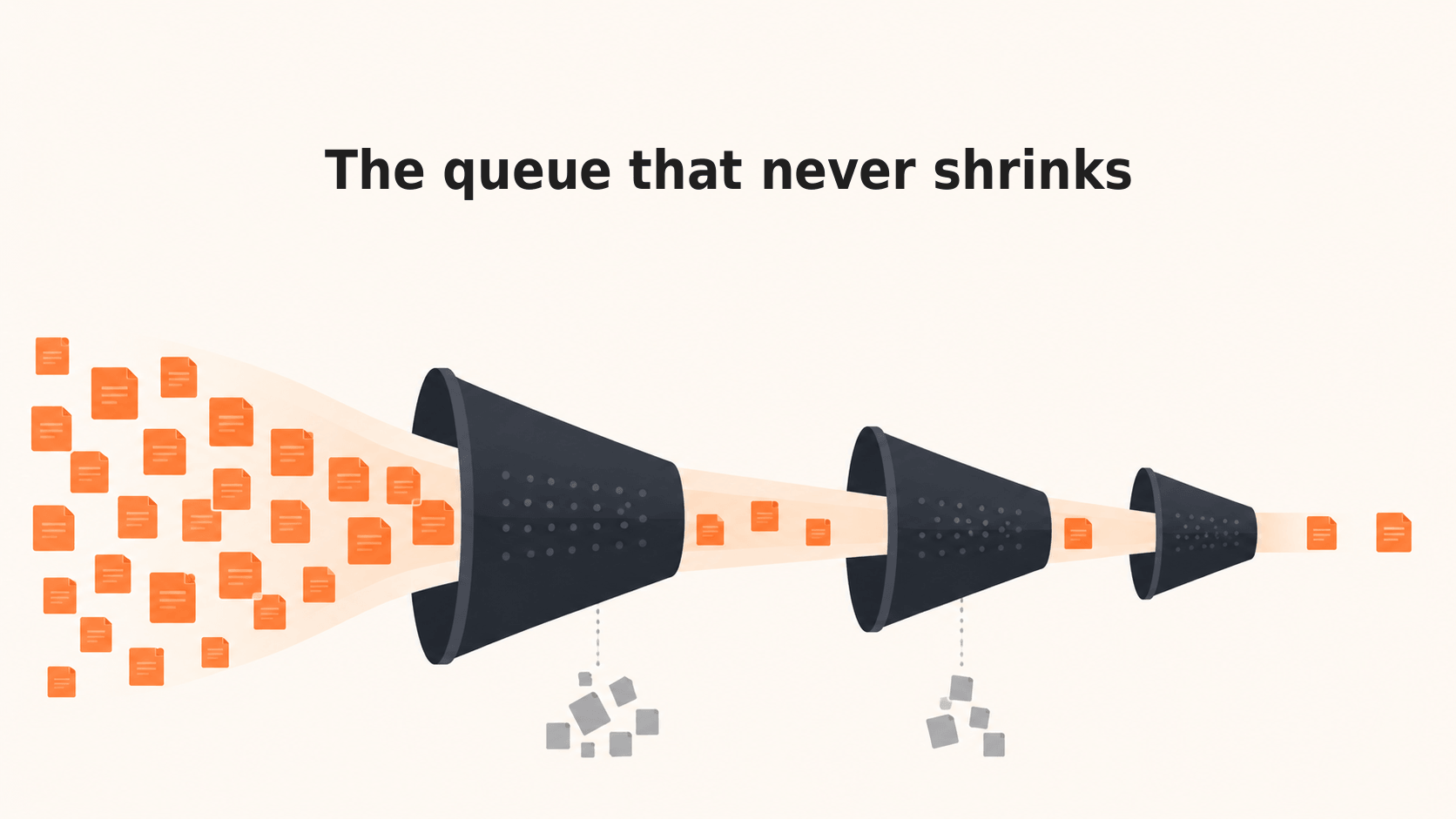
Neither trap gets fixed by watching how fast reviewers move. The number worth tracking is the straight-through rate, the percentage of fields that auto-confirm without a human touching them, and whether it's climbing over time. A shrinking review queue is the result of that number going up, deliberately and by design, not the result of reviewers working faster through the same volume of flagged fields.
How to Actually Shrink the Queue
Shrinking a review queue is a process, not a setting you flip once. It looks roughly like this:
1. Start deliberately conservative. When a workflow is new, or you're processing a document type for the first time, set the confidence threshold on the strict side. More fields route to review than strictly necessary. That's fine, it's the price of building trust in the extraction before you loosen anything. Trying to skip this step and start loose is how bad data gets into downstream systems undetected.
2. Watch the straight-through rate, not the queue size. Queue size on its own is a noisy number, it moves with document volume, not with how well the model is doing. The metric that tells you whether extraction is actually improving is the straight-through rate: the share of fields clearing the confidence threshold and auto-confirming without a person touching them. Track it by field type, not just overall. A workflow's invoice number field might already clear 97% straight-through while the line-item table sits at 60%, averaging those together hides exactly the information you need.
3. Move the threshold in small steps, on the fields that earned it. Once a specific field type has held a high straight-through rate over a meaningful stretch of documents, not just a lucky batch, raise the auto-confirm bar for that field. Do it one field at a time rather than one blanket adjustment for the whole workflow. A vendor name field and a handwritten total field don't deserve the same confidence bar, and treating them the same is how you either keep unnecessary review traffic on the easy field or let genuine errors through on the hard one.
4. Route by exception, not by document. The instinct is to review whole documents. The more efficient pattern is reviewing whole fields across many documents when something changes, a new vendor format shows up, a field type starts missing more often than usual, and treating everything else as it comes. Foxello's confidence-based review already does this at the field level automatically. The discipline on your side is not overriding it back into "have someone eyeball every document just in case."
5. Re-check the threshold when the input changes, not just on a schedule. If you onboard a new vendor, add a new document format, or start processing a document type in a language or layout you haven't seen before, treat that as a reason to loosen the threshold back down temporarily for that specific case, the same way you did at the start. A stable, mature workflow can absolutely see review traffic spike again when the input to it changes. That's not the system failing, that's it correctly telling you it hasn't built confidence on the new pattern yet.
None of these five steps require anything a small team can't do with an hour a month and a filtered view of the Needs review queue. What they require is treating the threshold as something to manage, not something to set once during onboarding and never open again.
The Compliance Note
Some document types carry legal weight. An insurance claim, an HR onboarding form, a credit application, these aren't documents where "the AI got a field wrong and someone will notice eventually" is an acceptable outcome. That's the real reason human-in-the-loop review matters beyond just accuracy, it's the same argument regulators are increasingly making.
Article 14 of the EU AI Act requires that high-risk AI systems be designed so a person can actually oversee them, understand what the system is doing, and intervene when something looks off. Not every document processing use case falls under that high-risk classification, general invoice or PO processing typically doesn't, but some do: anything touching employment decisions, credit or insurance eligibility, or similar categories the Act specifically flags. If your document workflows feed into decisions like those, it's worth checking with your own legal counsel whether your specific use case is in scope, this isn't something a vendor can determine for you in the abstract.
Separately from AI-specific regulation, GDPR applies the moment personal data shows up in a document you're processing, a name, an address, a national ID number on a claims form. Foxello operates under GDPR alignment, and a data processing agreement is available for customers who need one on file for their own compliance record.
None of this means every workflow needs a human checking every field. It means the fields and document types where a wrong value has real consequences, financial, legal, or personal, are exactly the ones where loosening the confidence threshold should happen slowest, if at all. That's not a compliance checkbox, it's the same judgment call from the previous section applied to the categories where getting it wrong costs more than a re-export.
Close
Here's the actual point of this whole piece: human-in-the-loop isn't the finish line, it's the mechanism you use on the way to needing less of it. A workflow where every field still gets reviewed six months in isn't more careful, it's stalled. A workflow where the straight-through rate keeps climbing and the review queue keeps shrinking is doing exactly what it's supposed to.
One thing worth being direct about: Foxello doesn't review your documents for you. There's no Foxello staff member opening your claims forms or checking your invoice totals. Review Hub is a tool your own team, or your BPO's ops staff, uses to do that work faster and with less manual entry. The judgment calls, what counts as an acceptable auto-confirm rate, which document types get the strict threshold, stay with the people who actually understand the documents. That's not a limitation, it's the point. Nobody outside your organization should be the one deciding when a claims form is close enough to ship without a second look.
FAQ
What does human-in-the-loop mean in document processing? It means an AI model extracts data from a document, and any field the model wasn't confident about gets flagged for a person to check or correct before that data moves downstream. High-confidence fields skip the review step entirely.
Is human-in-the-loop the same as manual review? No. Manual review means a person handles every field on every document. Human-in-the-loop, specifically confidence-based review, means a person only handles the fields flagged as uncertain, everything else auto-confirms. Manual review is one mode within a broader human-in-the-loop setup, not a synonym for it.
How do you reduce the amount of human review needed over time? Track the straight-through rate (the share of fields auto-confirming without review) by field type, and raise the confidence threshold incrementally on fields that consistently clear it. Reviewing whole documents by default, instead of routing by which specific fields are actually uncertain, is what keeps review volume artificially high.
Does Foxello review documents on the customer's behalf? No. Review Hub is a tool the customer's own team, or their outsourced ops staff, uses to review and correct flagged fields. There's no Foxello-side review of customer documents.
Ready to see where your own review queue could shrink? Start free with 10 model tokens, no credit card required, and watch what actually needs a human versus what doesn't.